
How to Screen Record With Sound on iPhone and Android
Both phones record the screen without an extra app, and on both the sound is a separate choice you make before you start. On an iPhone you add Screen
Editorial Team · 2026-09-23

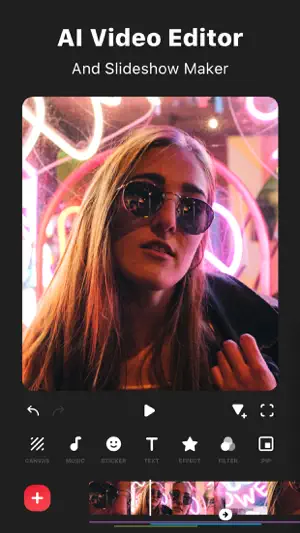
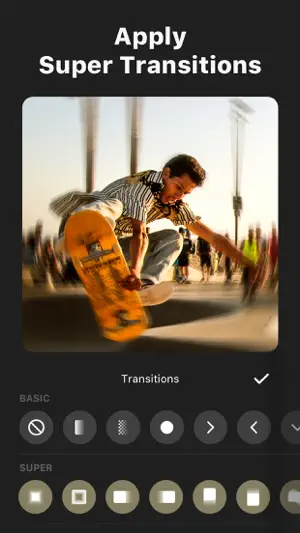
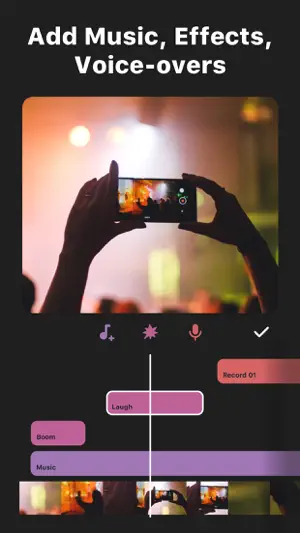

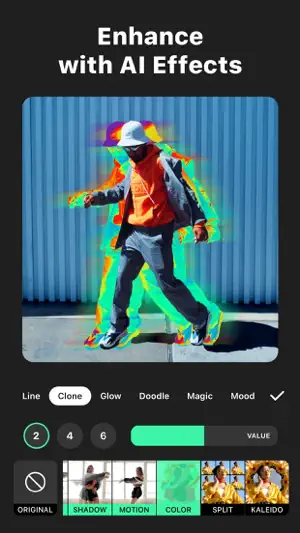
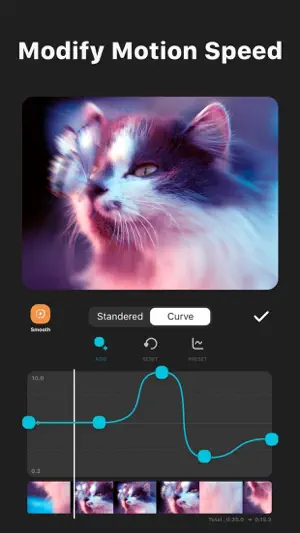
InShot is the phone video editor that half a billion Android installs and 2.5 million App Store ratings have made the default: trim, merge, speed curves, keyframes, transitions, auto captions, AI background removal and stickers, on a timeline built for one thumb. The free version watermarks exports but lets you remove it by watching an ad; InShot Pro is $4.99 a month, $19.99 a year or $49.99 once. The complaints are the ad loops and a thin music library.
Specs come from the official store listings and were last checked on 2026-09-22. Developers change pricing and requirements — check the store page before installing.
The feature list on the store is long and, per the reviews, mostly free: trim and merge clips, reverse, speed curves for smooth slow motion, keyframes, picture-in-picture, chroma key, a transition library sorted into Basic and Super, filters with HSL adjustment, and stickers and text that can follow a moving object with Smart tracking. The AI layer arrived over the last two years — Auto Captions from speech, AI Speech text-to-voice in several languages and voices, one-tap background removal, AI Body Effects — and the September 2026 build adds audio stickers, group editing of tracks and a Hair Glow effect. Reviewers with years of use vouch for it: a 2017 user in July 2026 still recommends nothing else, and a July 2026 five-star switched from CapCut after that app moved basics behind a subscription. Exports go up to 4K.
We read 100 Google Play reviews — 81 five-star, 5 one- or two-star — from a base of 24.6 million ratings at 4.8. The most-voted, 18,222 votes from March 2025, calls it the best free editor and notes that most Pro-only tools unlock by watching an ad; the second, 12,339 votes, upgraded to Pro and docks a star for a music library of 30–40 songs. The complaints repeat across 2026. Ads: an August four-star says the watermark-removal ad sometimes loops and will not let you back to the video; a September one-star waited five to ten minutes on an ad with no close button after one collage. Quality: a September 2026 four-star hears audio compressed on export; another reports clips speeding up in their first seconds, unfixed after two support replies. The September redesign of the media picker drew two complaints from Pro members who can no longer search their own gallery.
Both stores carry advertising and in-app purchase badges. The App Store itemises the shop: InShot Pro monthly $4.99, yearly $19.99, lifetime $49.99, a separate Remove Ads at $3.99, and packs — Power and Glitch transitions at $3.99, CINEMA and SKIN filters and the FORM effect pack at $1.99; Google Play's range runs from $0.99 to $199.99 per item. The free export's watermark goes away after an ad — praised in most reviews, called a failed scam in one September one-star. Requirements: iOS 15.0 or newer at 264 MB with iPad and Apple Silicon Mac builds, or Android 8.0 or newer, in 16 languages, rated 4+ and Everyone. Privacy differs by store: Apple's label lists identifiers not linked to you; Google's card says personal info, photos and videos and three other types are collected and device IDs shared. The developer is SHANTANU PTE. LTD. of Singapore; the app dates from June 2015. Prices vary by region.
We don't host any files. These buttons open the official Google Play and App Store listings.
A 7.8: the most complete free video editor on a phone, honest about its watermark — one ad removes it — and sold with a lifetime option most rivals dropped. Take it if you cut social video, YouTube or slideshows on a phone and can tolerate ads or pay once. Skip it if ad loops would drive you off, if you need a real music library, or if export audio fidelity is critical.
Yes on free exports — and you can remove it without paying by watching an ad, which reviewers from 2025 through September 2026 confirm works, with two caveats: some ads loop or run several minutes, and one September 2026 review says the ad failed to remove it. InShot Pro or the $3.99 Remove Ads purchase takes the watermark and the ads away permanently.
Yes — the listing states custom export resolution up to 4K at 60 fps, chosen at export time. A July 2026 reviewer complains that resolution and frame rate must be picked manually and that a wrong choice made the export look worse than the preview, so check the settings before saving. Two September 2026 reviews report exported audio sounding compressed; run a short test export first.
$4.99 a month, $19.99 a year or $49.99 for life on the App Store, plus optional packs at $1.99–$3.99; Google Play's range reaches $199.99. Pro removes ads and the watermark and unlocks the paid effects, stickers and AI voices. Reviewers who upgraded praise the lifetime option and say the free tier already covers most editing; the thin music library is their main disappointment. Prices vary by region.
Editing and exporting run on the phone and do not need a connection; drafts auto-save locally, as a July 2026 reviewer notes after a dead battery. You need to be online for the ads that unlock the watermark and Pro tools, for downloading music, fonts and effect packs, and for the AI captions and speech tools.
It is a mainstream editor from a Singapore company with an 11-year store history, and reviewers use it for YouTube channels and personal projects. Two things to check before client work: the licence terms of the bundled music and stickers, which InShot's terms govern rather than you; and Google's data card, which says personal info and your photos and videos are collected on Android — relevant if you edit client footage.


Both phones record the screen without an extra app, and on both the sound is a separate choice you make before you start. On an iPhone you add Screen
VN is the free video editor that exports clean with nothing to delete, nothing to watch and no resolution cap — a full multi-track timeline and 4K 60f
Niantic announced Astronaut Pikachu for World Space Week: the costumed Pokémon appears from October 4 to October 10 in one-star raids and through free
About this page. ScoredApps reviewed InShot - Video Editor independently. We don't own, develop, or distribute this app, and we're not affiliated with InShot Video Editor. Official site: inshot.com/ · Google Play listing · Developer support: inshot.android@inshot.com

