


Free Video Editors Without a Watermark: What Actually Exports Clean
VN is the free video editor that exports clean with nothing to delete, nothing to watch and no resolution cap — a full multi-track timeline and 4K 60f
Editorial Team · 2026-09-01


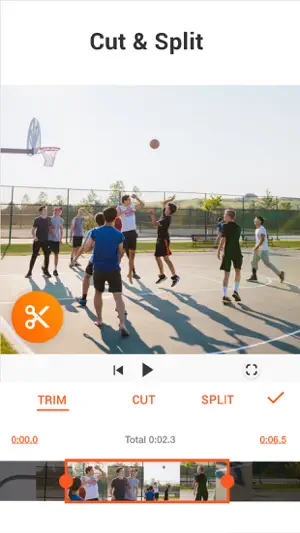

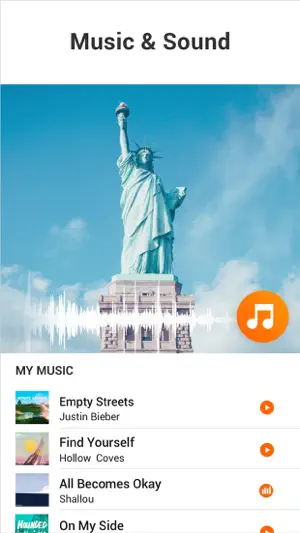

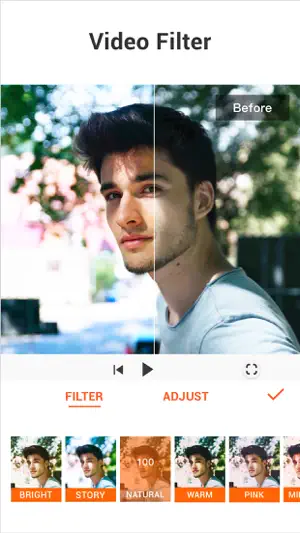
YouCut is InShot's lighter sibling from the same Singapore studio: a free video cutter, merger and slideshow maker with no watermark, a multi-layer timeline, chroma key, auto captions and background removal, aimed at YouTube and social clips. It has 100 million Android installs at 4.8 from 8.6 million ratings, runs from Android 8.0 and iOS 15, and sells YouCut Pro at $6.99 a month, $25.99 a year or $59.99 for life. Reviewers keep it for quick cuts.
Specs come from the official store listings and were last checked on 2026-09-22. Developers change pricing and requirements — check the store page before installing.
The listing leads with its two words — Free and No Watermark — and its verbs: merge videos into one, cut and trim, slice and split, compress without losing quality, make photo videos with music. Around that core sit the tools a short-form clip needs: a multi-layer timeline, chroma key and green screen, speed and smooth slow motion, stop-motion, background blur, filters, transitions, stickers and text, plus the AI Video Boost set — auto captions from speech, one-tap background removal and quality enhancement. Reviewers describe exactly that use. The most-voted, 6,047 votes from May 2025, uses it only for cropping, removing audio and basic edits, offline, with no pop-ups and no forced watermark; a December 2024 review with 4,009 votes bought it because it was a small one-time purchase, not a subscription; an August 2026 four-star who owns LumaFusion and VLLO opens YouCut every day because it is quick and straightforward. The September 2026 build added style transitions.
One hundred and seven Google Play reviews — 75 five-star, 7 one- or two-star — from a base of 8.6 million ratings at 4.8. The praise: light on storage compared with CapCut, per an October 2025 four-star with 1,948 votes; works without Wi-Fi; nothing forced. The limits are as consistent. Effects and transitions are simple and cliché and fonts are paid, says that same review; the music library is limited and the good tracks are Pro, per a December 2025 four-star with 1,617 votes; a July 2026 four-star finds it falls off for advanced work. Bugs are specific: deleting a clip deletes any voiceover touching it (July 2026), the app cannot export audio as mp3 (August), lag grows with project length (August), a September one-star says the new pre-processing of 4K footage makes a seven-minute edit almost unusable, and a July reviewer woke to a phone drained from 60% to 0% with the app in the background.
Both stores show advertising and in-app purchases. The App Store itemises YouCut Pro: $6.99 monthly, $25.99 yearly, $59.99 lifetime; Google Play's range is $2.99 to $59.99. Free exports carry no watermark, which is the app's pitch and the reviews confirm it; Pro unlocks the paid effects, fonts, music and stickers and removes ads. Three 2026 reviews ask for a cheaper lifetime fee; one calls it useless unless you pay, against many who say the free tier covers them. Requirements: iOS 15.0 or newer at 161 MB, or Android 8.0 or newer, in 18 languages, rated 4+ and Everyone; the iOS version dates from July 2022. Privacy is the surprise for a video cutter: Google's card lists location, personal info and two other types collected and device IDs shared, while Apple lists identifiers not linked to you. The developer is SHANTANU PTE. LTD., maker of InShot. Prices vary by region.
We don't host any files. These buttons open the official Google Play and App Store listings.
A 7.2: a quick, light, no-watermark cutter that a hundred million people keep for trimming and merging, with a one-time price for those who want the extras. Take it if you cut and post clips and rarely need fancy effects. Skip it if you want a rich effects and music library without paying, edit long projects, or dislike a video app that collects location.
No. Free and No Watermark is the listing's own headline, and reviewers from 2024 through 2026 confirm that exports carry no branding without paying or watching ads. The free tier's limits are the paid effects, fonts, stickers and music tracks marked Pro, and the ads shown around the app.
Yes — exports go up to 4K, and the listing promises merging and compression without quality loss. A September 2026 one-star warns that a recent update pre-processes 4K footage before editing, which made a seven-minute project take very long. Reviewers also note exports cannot be saved to an SD card on Android, per a developer reply, and audio cannot be exported on its own.
$6.99 a month, $25.99 a year or $59.99 for life on the App Store; Google Play's items run $2.99 to $59.99. Pro removes ads and unlocks the paid effects, transitions, fonts, stickers and music. Reviewers who bought it did so for the one-time price; several ask for a cheaper lifetime fee, and most say the free tier covers basic cutting. Prices vary by region.
Yes for the core: the most-voted review, 6,047 votes, uses it without Wi-Fi for cropping, audio removal and basic edits, and exporting runs on the phone. You need a connection for ads, for downloading music and Pro assets, and for the AI tools — auto captions, background removal and enhancement.
Same developer — SHANTANU PTE. LTD. of Singapore — and a similar timeline; InShot has the deeper toolset and photo editing, YouCut is lighter and does not watermark free exports. The thing to weigh is data: YouCut's Android card lists location and personal info collected and device IDs shared, more than a cutter needs, while its iOS label lists only identifiers.
VN is the free video editor that exports clean with nothing to delete, nothing to watch and no resolution cap — a full multi-track timeline and 4K 60f
THQ Nordic Mobile released Disney Epic Mickey: Rebrushed on the App Store and Google Play on September 16 at $15.99, a one-time price with no in-app p
Dave the Diver arrived on the App Store and Google Play on September 17, published by NEXON's sub-brand MINTROCKET as a full port of the PC game. The
About this page. ScoredApps reviewed YouCut - AI Video Editor independently. We don't own, develop, or distribute this app, and we're not affiliated with InShot Video Editor. Official site: inshot.com/ · Google Play listing · Developer support: youcut@inshot.com

